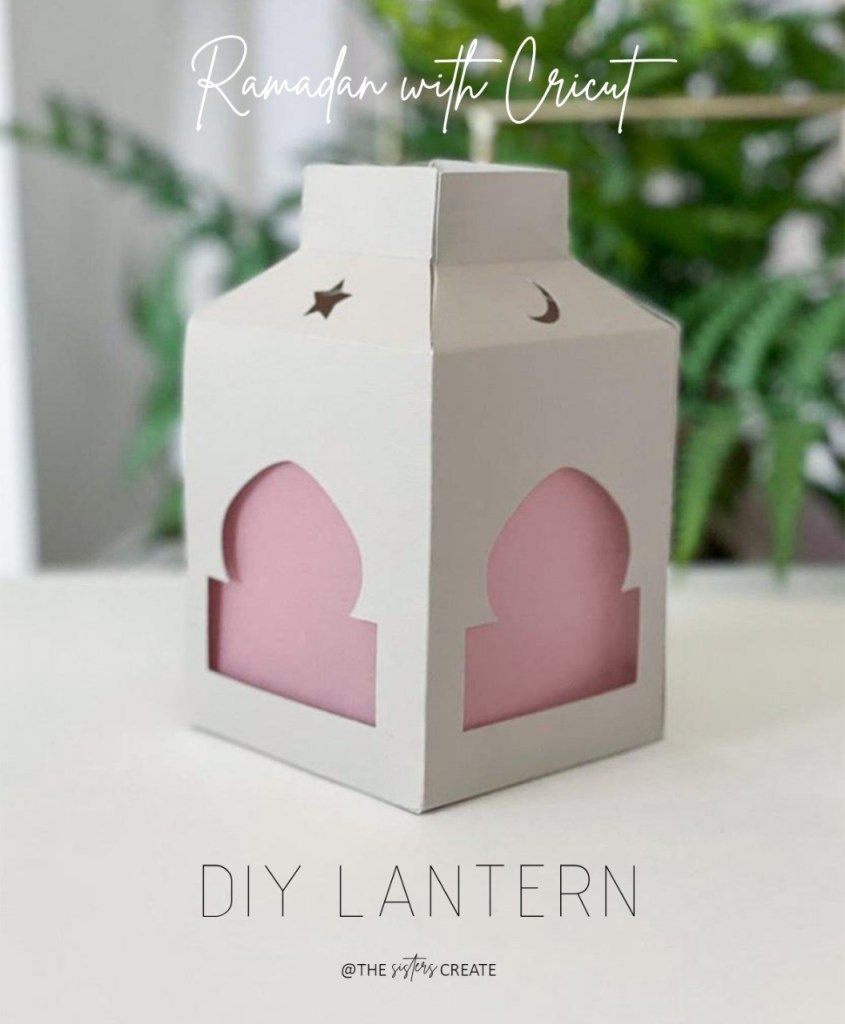
This DIY Ramadan Lantern was one of our very first Cricut projects. We included this in our 2019 Ramadan Box as a craft activity for kids.
We bought our Cricut Maker in 2019 and since we did not have any experience in designing with Cricut Design Space, we decided on finding something online and modifying it (if required). After searching a lot, we came across this blog post that had a tutorial and free template for a paper lantern. Though we were super excited to have finally found something, we had to modify the file make it more relevant to our theme.
To make things easier, we cut (using Cricut) double sided adhesive sheet and stuck them on the sides. We also included printed instructions with picture of the assembled lantern in the box.
Tip: Use the Cricut scoring stylus/wheel to make perfect folds on your card stock.
Materials:
- Card stock Paper
- Cricut Machine
- Scoring Stylus
- Vellum Paper
- Tea Light Candle
- Double-sided Adhesive Sheets (optional)
Method:

Access the design file from here. The file will open in Cricut Design Space.
Adjust the size, insert the scoring stylus and click on Make It.
Insert the cutting blade after scoring is finished.
Allow Cricut to cut the design.
Add glue/double sided tape to the tabs and insert them onto each other.
Attach the base of the lantern to finish off.
Optional: You can add vellum paper and tea light candles for a beautiful effect.

 The Sisters Create
Salaam. I tried to access your file from DS and it won’t allow me to use it as its an “contains exclusive content”. Even “make it” is greyed out. I really would like to try to make these lanterns for Ramadan InSha Allah. Jazak Allah
LikeLike
Walaikum Salam. Can you try again and let us know if it’s working for you now?
LikeLike
Unfortunately, still can’t access it. Same message
LikeLike
Assalamoalaykum, love your crafts. I recreated the iftaar suhoor time frame in my story sessions and everyone loved it.
The above template isn’t available on ds:( it opens but says exclusive and doesn’t give access
LikeLike
Hi I am unable to access the files says exclusive, I would really like to make one with my kids.
LikeLike